Current Version: Download Here
The above link is for the manual update process for the latest TrackEd database. A full change log is found at the release notes link at the top of the page. If you are interested in automatic updates on server please contact our support team.
Update instructions
Note: These instructions are for those running TrackEd on a local PC. If running on server we recommend contacting us for auto-update instructions or downloading the current live copy of TrackEd from the server before running these steps on a local PC
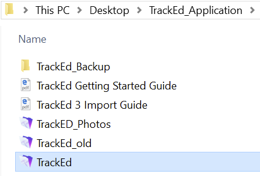
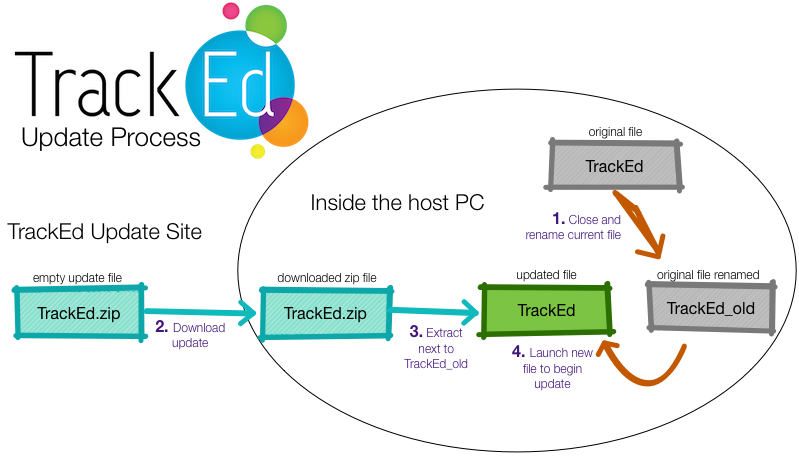
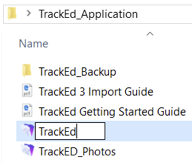
Step 1: Close TrackEd and locate your current TrackEd file, ensuring it is the latest by the modification timestamp. Once found rename it to TrackEd_old.
Step 2: Download the above link to your PC
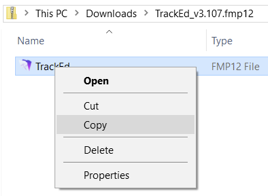
Step 3: Open the downloaded zip file and copy the new TrackEd file (not the whole zip file but the TrackEd inside the zip), then paste it next to the TrackEd_old file. This will be your new TrackEd file after the update.
Step 4: Open the new TrackEd file with the special username ‘startup’ and password ‘startup’. This will start the migration where your data from TrackEd_old will be copied to the new TrackEd file. After completion you login with your normal account.