
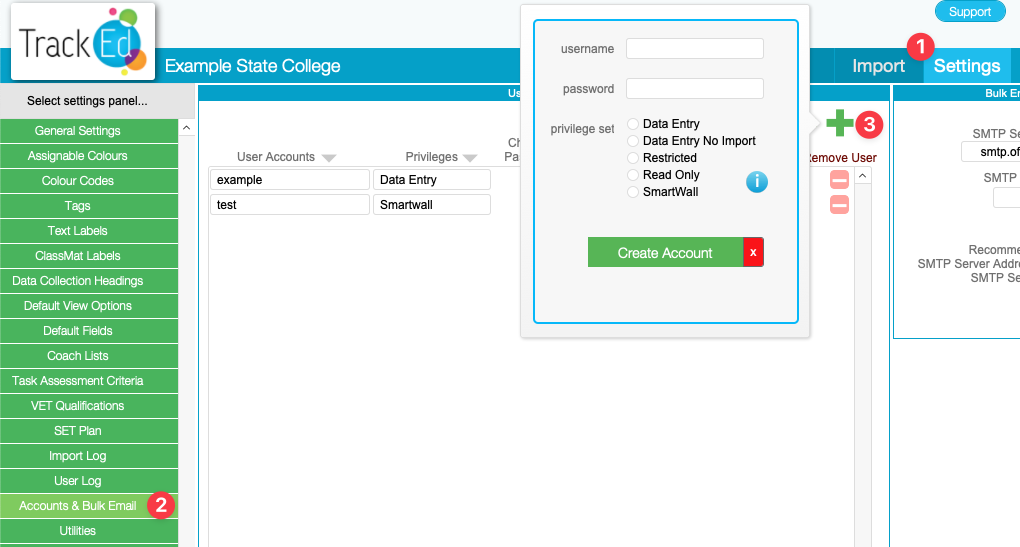
User accounts are added on the ‘Settings > Accounts and Bulk Email’ page inside TrackEd. Any account holder at your school with data entry access can add and edit the accounts list.
Here is a brief description of each access level…
Data Entry: allows all functions in TrackEd
Data Entry no imports: allows all functions in TrackEd except importing new data. this is recommended for most users
Restricted: A significantly limited account that cannot access all features and can only enter basic notes. Only use if you have a very specific use case for it.
Read Only: A significantly limited account that cannot access all features and can make no changes. Only use if you have a very specific use case for it.
Smartwall: This account will open to the smartwall list and allow smartwall functionality only. It is locked out of the rest of TrackEd.
